🌀 Portal.JS
The javascript framework for
data portals
🌀 `portal` is a framework for rapidly building rich data portal frontends using a modern frontend approach. `portal` can be used to present a single dataset or build a full-scale data catalog/portal.
`portal` is built in Javascript and React on top of the popular [Next.js][] framework. `portal` assumes a "decoupled" approach where the frontend is a separate service from the backend and interacts with backend(s) via an API. It can be used with any backend and has out of the box support for [CKAN][].
[ckan]: https://ckan.org/
[next.js]: https://nextjs.com/
## Features
- 🗺️ Unified sites: present data and content in one seamless site, pulling datasets from a DMS (e.g. CKAN) and content from a CMS (e.g. wordpress) with a common internal API.
- 👩💻 Developer friendly: built with familiar frontend tech Javascript, React etc
- 🔋 Batteries included: Full set of portal components out of the box e.g. catalog search, dataset showcase, blog etc.
- 🎨 Easy to theme and customize: installable themes, use standard CSS and React+CSS tooling. Add new routes quickly.
- 🧱 Extensible: quickly extend and develop/import your own React components
- 📝 Well documented: full set of documentation plus the documentation of NextJS and Apollo.
### For developers
- 🏗 Build with modern, familiar frontend tech such as Javascript and React.
- 🚀 NextJS framework: so everything in NextJS for free React, SSR, static site generation, huge number of examples and integrations etc.
- SSR => unlimited number of pages, SEO etc whilst still using React.
- Static Site Generation (SSG) (good for small sites) => ultra-simple deployment, great performance and lighthouse scores etc
- 📋 Typescript support
## Getting Started
### Setup
Install a recent version of Node. You'll need Node 10.13 or later.
Install `yarn`.
### Try out the demo portal
Create a demo portal (for a single dataset):
```bash
npx create next-app -e https://github.com/datopian/portal.js/tree/main/examples/dataset-frictionless
# choose a name for your portal when prompted e.g. your-portal or go with default my-app
# then run it
cd your-portal
yarn #install packages
yarn dev #start app in dev mode
```
You should see the demo portal running.
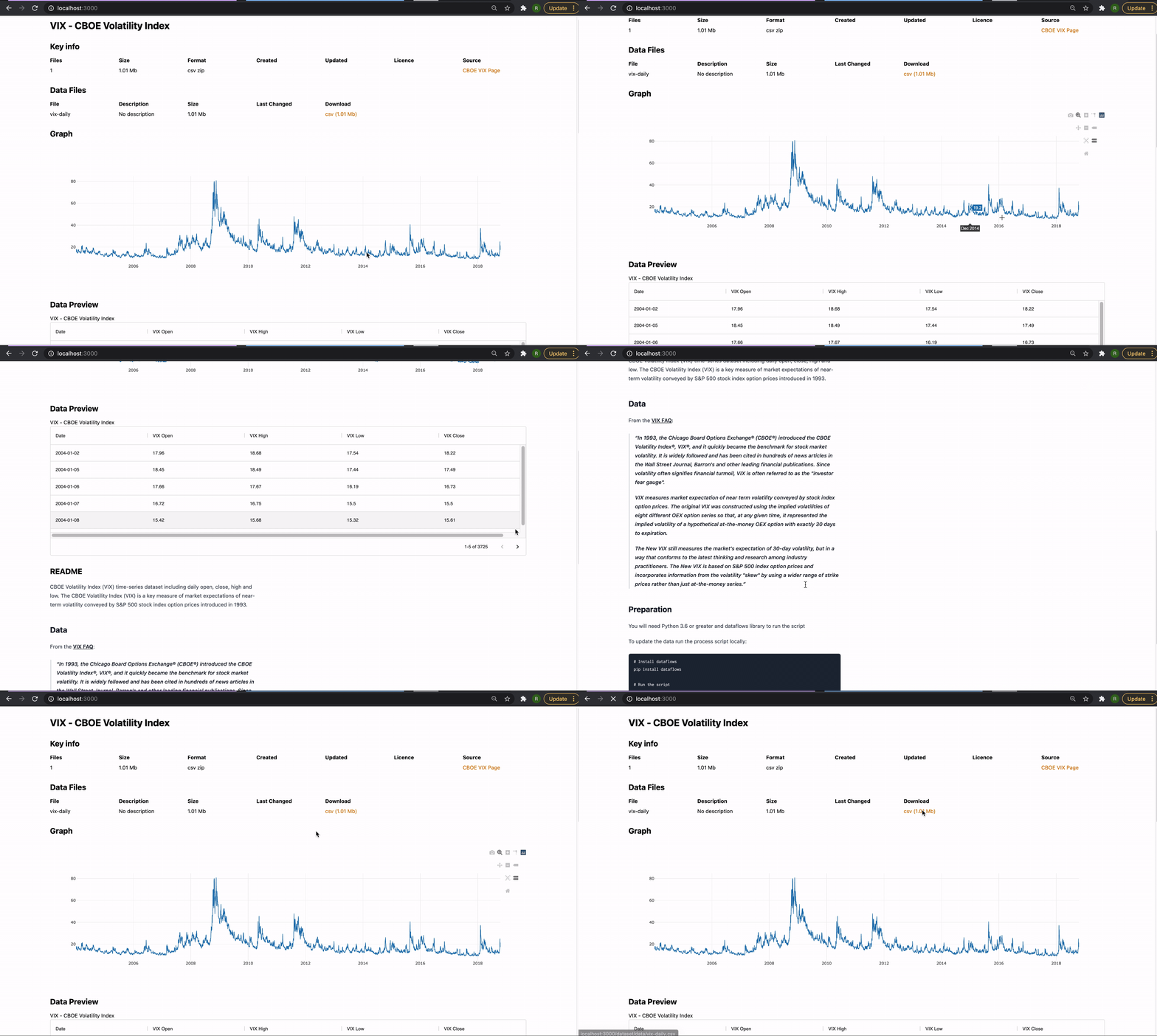 You can try it out with other Frictionless datasets.
### Check out more of the examples
The [`examples` directory](./examples) is regularly updated with different portal examples.
* [A portal for a single Frictionless dataset](./examples/dataset-frictionless)
* [A portal with a CKAN backend](./examples/catalog)
## Deploying portal build to github pages
* [Deploying single frictionless dataset to Github]("./scripts/README.md")
---
# Appendix: What happened to Recline?
Portal.JS used to be Recline(JS). If you are looking for the old Recline codebase it still exists: see the [`recline` branch](https://github.com/datopian/portal.js/tree/recline). If you want context for the rename see [this issue](https://github.com/datopian/portal.js/issues/520).
You can try it out with other Frictionless datasets.
### Check out more of the examples
The [`examples` directory](./examples) is regularly updated with different portal examples.
* [A portal for a single Frictionless dataset](./examples/dataset-frictionless)
* [A portal with a CKAN backend](./examples/catalog)
## Deploying portal build to github pages
* [Deploying single frictionless dataset to Github]("./scripts/README.md")
---
# Appendix: What happened to Recline?
Portal.JS used to be Recline(JS). If you are looking for the old Recline codebase it still exists: see the [`recline` branch](https://github.com/datopian/portal.js/tree/recline). If you want context for the rename see [this issue](https://github.com/datopian/portal.js/issues/520).