Compare commits
11 Commits
table-prev
...
878-how-to
| Author | SHA1 | Date | |
|---|---|---|---|

|
11144758ca | ||
|
|
f443dab92c | ||
|
|
d9be7d0f5b | ||
|
|
7c21993b92 | ||
|
|
3f06aa3f01 | ||
|
|
d191178ecf | ||
|
|
a0eb06ee19 | ||
|
|
539fd6c77e | ||
|
|
8fa930b3f4 | ||
|
|
3be88f1cdb | ||
|
|
d0ee06e8d0 |
1
.gitignore
vendored
1
.gitignore
vendored
@@ -16,6 +16,7 @@ node_modules
|
||||
*.launch
|
||||
.settings/
|
||||
*.sublime-workspace
|
||||
.obsidian
|
||||
|
||||
# IDE - VSCode
|
||||
.vscode/*
|
||||
|
||||
@@ -1,45 +0,0 @@
|
||||
import { Octokit } from 'octokit';
|
||||
import { assert, expect, test } from 'vitest'
|
||||
import { getProjectDataPackage } from '../lib/octokit';
|
||||
|
||||
export async function getAllDataPackagesFromOrg(
|
||||
org: string,
|
||||
branch?: string,
|
||||
github_pat?: string
|
||||
) {
|
||||
const octokit = new Octokit({ auth: github_pat });
|
||||
const repos = await octokit.rest.repos.listForOrg({ org, type: 'public', per_page: 100 });
|
||||
let failedDataPackages = [];
|
||||
const datapackages = await Promise.all(
|
||||
repos.data.map(async (_repo) => {
|
||||
const datapackage = await getProjectDataPackage(
|
||||
org,
|
||||
_repo.name,
|
||||
branch ? branch : 'main',
|
||||
github_pat
|
||||
);
|
||||
if (!datapackage) {
|
||||
failedDataPackages.push(_repo.name)
|
||||
return null
|
||||
};
|
||||
return {...datapackage, repo: _repo.name};
|
||||
})
|
||||
);
|
||||
return {
|
||||
datapackages: datapackages.filter((item) => item !== null),
|
||||
failedDataPackages,
|
||||
};
|
||||
}
|
||||
|
||||
test('Test OS-Data', async () => {
|
||||
const repos = await getAllDataPackagesFromOrg('os-data', 'main', process.env.VITE_GITHUB_PAT)
|
||||
if (repos.failedDataPackages.length > 0) console.log(repos.failedDataPackages)
|
||||
expect(repos.failedDataPackages.length).toBe(0)
|
||||
}, {timeout: 100000})
|
||||
|
||||
test('Test Gift-Data', async () => {
|
||||
const repos = await getAllDataPackagesFromOrg('gift-data', 'main', process.env.VITE_GITHUB_PAT)
|
||||
if (repos.failedDataPackages.length > 0) console.log(repos.failedDataPackages)
|
||||
expect(repos.failedDataPackages.length).toBe(0)
|
||||
}, {timeout: 100000})
|
||||
|
||||
@@ -1,15 +1,15 @@
|
||||
import Link from 'next/link';
|
||||
import clsx from 'clsx';
|
||||
import Link from 'next/link'
|
||||
import clsx from 'clsx'
|
||||
|
||||
export function Button({ href, className = '', ...props }) {
|
||||
export function Button({ href, className = "", ...props }) {
|
||||
className = clsx(
|
||||
'inline-flex justify-center rounded-2xl bg-emerald-600 p-4 text-base font-semibold text-white hover:bg-emerald-500 focus:outline-none focus-visible:outline-2 focus-visible:outline-offset-2 focus-visible:outline-emerald-500 active:text-white/70',
|
||||
className
|
||||
);
|
||||
)
|
||||
|
||||
return href ? (
|
||||
<Link scroll={false} href={href} className={className} {...props} />
|
||||
<Link href={href} className={className} {...props} />
|
||||
) : (
|
||||
<button className={className} {...props} />
|
||||
);
|
||||
)
|
||||
}
|
||||
|
||||
@@ -1,76 +0,0 @@
|
||||
import Link from 'next/link';
|
||||
import { Project } from '../lib/project.interface';
|
||||
import ExternalLinkIcon from './icons/ExternalLinkIcon';
|
||||
|
||||
export default function DatasetCard({ dataset }: { dataset: Project }) {
|
||||
return (
|
||||
<div
|
||||
key={dataset.name}
|
||||
className="overflow-hidden rounded-xl border border-gray-200"
|
||||
>
|
||||
<Link
|
||||
href=""
|
||||
className="flex items-center gap-x-4 border-b border-gray-900/5 bg-gray-50 p-6"
|
||||
>
|
||||
<img
|
||||
src={dataset.owner.logo || '/assets/org-icon.svg'}
|
||||
alt={dataset.owner.name}
|
||||
className="h-12 w-12 flex-none rounded-lg bg-white object-cover ring-1 ring-gray-900/10 p-2"
|
||||
/>
|
||||
<div className="text-sm font-medium leading-6">
|
||||
<div className="text-gray-900 line-clamp-1">{dataset.title}</div>
|
||||
<div className="text-gray-500 line-clamp-1">
|
||||
{dataset.owner.title}
|
||||
</div>
|
||||
</div>
|
||||
</Link>
|
||||
<dl className="-my-3 divide-y divide-gray-100 px-6 py-4 text-sm leading-6">
|
||||
<div className="flex justify-between gap-x-4 py-3">
|
||||
<dt className="text-gray-500">Name</dt>
|
||||
<dd className="flex items-start gap-x-2">
|
||||
<div className="font-medium text-gray-900 line-clamp-1">
|
||||
{dataset.name}
|
||||
</div>
|
||||
</dd>
|
||||
</div>
|
||||
<div className="flex justify-between gap-x-4 py-3">
|
||||
<dt className="text-gray-500">Country</dt>
|
||||
<dd className="flex items-start gap-x-2">
|
||||
<div className="font-medium text-gray-900">
|
||||
{dataset.countryCode}
|
||||
</div>
|
||||
</dd>
|
||||
</div>
|
||||
<div className="flex justify-between gap-x-4 py-3">
|
||||
<dt className="text-gray-500">Fiscal Period</dt>
|
||||
<dd className="text-gray-700">
|
||||
{dataset.fiscalPeriod?.start &&
|
||||
new Date(dataset.fiscalPeriod.start).getFullYear()}
|
||||
{dataset.fiscalPeriod?.end &&
|
||||
dataset.fiscalPeriod?.start !== dataset.fiscalPeriod?.end && (
|
||||
<>
|
||||
{' - '}
|
||||
{new Date(dataset.fiscalPeriod.end).getFullYear()}
|
||||
</>
|
||||
)}
|
||||
</dd>
|
||||
</div>
|
||||
<div className="flex justify-between gap-x-4 py-3">
|
||||
<dt className="text-gray-500">Metadata</dt>
|
||||
<dd className="flex items-start gap-x-2">
|
||||
<div className="font-medium text-gray-900">
|
||||
<Link
|
||||
// TODO: where do we get the info needed for this link?
|
||||
href=""
|
||||
target="_blank"
|
||||
className="flex items-center hover:text-gray-700"
|
||||
>
|
||||
datapackage.json <ExternalLinkIcon className="ml-1" />
|
||||
</Link>
|
||||
</div>
|
||||
</dd>
|
||||
</div>
|
||||
</dl>
|
||||
</div>
|
||||
);
|
||||
}
|
||||
@@ -1,19 +0,0 @@
|
||||
import { Project } from '../lib/project.interface';
|
||||
import DatasetCard from './DatasetCard';
|
||||
|
||||
export default function DatasetsGrid({ datasets }: { datasets: Project[] }) {
|
||||
return (
|
||||
<ul
|
||||
className="grid gap-x-6 gap-y-8 grid-cols-1 sm:grid-cols-2 md:grid-cols-3"
|
||||
role="list"
|
||||
>
|
||||
{datasets.map((dataset, idx) => {
|
||||
return (
|
||||
<li key={`datasets-grid-item-${idx}`}>
|
||||
<DatasetCard dataset={dataset} />
|
||||
</li>
|
||||
);
|
||||
})}
|
||||
</ul>
|
||||
);
|
||||
}
|
||||
@@ -1,163 +0,0 @@
|
||||
import { useForm } from 'react-hook-form';
|
||||
import DatasetsGrid from './DatasetsGrid';
|
||||
import { Project } from '../lib/project.interface';
|
||||
import { Index } from 'flexsearch';
|
||||
|
||||
export default function DatasetsSearch({ datasets }: { datasets: Project[] }) {
|
||||
const index = new Index({ tokenize: 'full' });
|
||||
datasets.forEach((dataset: Project) =>
|
||||
index.add(
|
||||
dataset.name,
|
||||
`${dataset.repo} ${dataset.name} ${dataset.title} ${dataset.author} ${dataset.title} ${dataset.cityCode} ${dataset.fiscalPeriod?.start} ${dataset.fiscalPeriod?.end}`
|
||||
)
|
||||
);
|
||||
|
||||
const { register, watch, handleSubmit, reset, resetField } = useForm({
|
||||
defaultValues: {
|
||||
searchTerm: '',
|
||||
country: '',
|
||||
minDate: '',
|
||||
maxDate: '',
|
||||
},
|
||||
});
|
||||
|
||||
const allCountries = datasets
|
||||
.map((item) => item.countryCode)
|
||||
.filter((v) => v) // Filters false values
|
||||
.filter((v, i, a) => a.indexOf(v) === i) // Remove duplicates
|
||||
// TODO: title should be the full name
|
||||
.map((code) => ({ code, title: code }));
|
||||
|
||||
return (
|
||||
<>
|
||||
<div className="flex flex-col gap-3 sm:flex-row">
|
||||
<div className="min-w-0 flex-auto">
|
||||
<br />
|
||||
<div className="relative">
|
||||
<input
|
||||
placeholder="Search datasets"
|
||||
aria-label="Search datasets"
|
||||
{...register('searchTerm')}
|
||||
className="h-[3em] relative w-full rounded-lg bg-white py-2 pl-3 pr-10 text-left shadow-md focus:outline-none focus-visible:border-emerald-500 focus-visible:ring-2 focus-visible:ring-white focus-visible:ring-opacity-75 focus-visible:ring-offset-2 focus-visible:ring-offset-emerald-400 sm:text-sm"
|
||||
/>
|
||||
{watch().searchTerm !== '' && (
|
||||
<button
|
||||
onClick={() => resetField('searchTerm')}
|
||||
className="absolute right-3 top-1/2 -translate-y-1/2 text-gray-500"
|
||||
>
|
||||
<CloseIcon />
|
||||
</button>
|
||||
)}
|
||||
</div>
|
||||
</div>
|
||||
<div className="sm:basis-1/6">
|
||||
{/* TODO: nicer select e.g. headlessui example */}
|
||||
<label className="text-sm text-gray-600 font-medium">Country</label>
|
||||
<select
|
||||
className="h-[3em] w-full rounded-lg bg-white py-2 pl-3 pr-10 text-left shadow-md focus:outline-none focus-visible:border-emerald-500 focus-visible:ring-2 focus-visible:ring-white focus-visible:ring-opacity-75 focus-visible:ring-offset-2 focus-visible:ring-offset-emerald-400 sm:text-sm"
|
||||
{...register('country')}
|
||||
>
|
||||
<option value="">All</option>
|
||||
{allCountries.map((country) => {
|
||||
return (
|
||||
<option key={country.code} value={country.code}>
|
||||
{country.title}
|
||||
</option>
|
||||
);
|
||||
})}
|
||||
</select>
|
||||
</div>
|
||||
<div className="sm:basis-1/6">
|
||||
<label className="text-sm text-gray-600 font-medium">Min. date</label>
|
||||
<div className="relative">
|
||||
<input
|
||||
aria-label="Min. date"
|
||||
type="date"
|
||||
{...register('minDate')}
|
||||
className="h-[3em] w-full rounded-lg bg-white py-2 pl-3 pr-10 text-left shadow-md focus:outline-none focus-visible:border-emerald-500 focus-visible:ring-2 focus-visible:ring-white focus-visible:ring-opacity-75 focus-visible:ring-offset-2 focus-visible:ring-offset-emerald-400 sm:text-sm"
|
||||
/>
|
||||
{watch().minDate !== '' && (
|
||||
<button
|
||||
onClick={() => resetField('minDate')}
|
||||
className="absolute right-3 top-1/2 -translate-y-1/2 text-gray-500"
|
||||
>
|
||||
<CloseIcon />
|
||||
</button>
|
||||
)}
|
||||
</div>
|
||||
</div>
|
||||
<div className="sm:basis-1/6">
|
||||
<label className="text-sm text-gray-600 font-medium">Max. date</label>
|
||||
<div className="relative">
|
||||
<input
|
||||
aria-label="Max. date"
|
||||
type="date"
|
||||
{...register('maxDate')}
|
||||
className="h-[3em] w-full rounded-lg bg-white py-2 pl-3 pr-10 text-left shadow-md focus:outline-none focus-visible:border-emerald-500 focus-visible:ring-2 focus-visible:ring-white focus-visible:ring-opacity-75 focus-visible:ring-offset-2 focus-visible:ring-offset-emerald-400 sm:text-sm"
|
||||
/>
|
||||
{watch().maxDate !== '' && (
|
||||
<button
|
||||
onClick={() => resetField('maxDate')}
|
||||
className="absolute right-3 top-1/2 -translate-y-1/2 text-gray-500"
|
||||
>
|
||||
<CloseIcon />
|
||||
</button>
|
||||
)}
|
||||
</div>
|
||||
</div>
|
||||
</div>
|
||||
<div className="min-w-full mt-10 align-middle">
|
||||
<DatasetsGrid
|
||||
datasets={datasets
|
||||
.filter((dataset: Project) =>
|
||||
watch().searchTerm && watch().searchTerm !== ''
|
||||
? index.search(watch().searchTerm).includes(dataset.name)
|
||||
: true
|
||||
)
|
||||
.filter((dataset) =>
|
||||
watch().country && watch().country !== ''
|
||||
? dataset.countryCode === watch().country
|
||||
: true
|
||||
)
|
||||
// TODO: Does that really makes sense?
|
||||
// What if the fiscalPeriod is 2015-2017 and inputs are
|
||||
// set to 2015-2016. It's going to be filtered out but
|
||||
// it shouldn't.
|
||||
.filter((dataset) =>
|
||||
watch().minDate && watch().minDate !== ''
|
||||
? dataset.fiscalPeriod?.start >= watch().minDate
|
||||
: true
|
||||
)
|
||||
.filter((dataset) =>
|
||||
watch().maxDate && watch().maxDate !== ''
|
||||
? dataset.fiscalPeriod?.end <= watch().maxDate
|
||||
: true
|
||||
)}
|
||||
/>
|
||||
</div>
|
||||
</>
|
||||
);
|
||||
}
|
||||
|
||||
const CloseIcon = () => {
|
||||
return (
|
||||
<svg
|
||||
width={20}
|
||||
height={20}
|
||||
viewBox="0 0 24 24"
|
||||
fill="none"
|
||||
xmlns="http://www.w3.org/2000/svg"
|
||||
>
|
||||
<g id="Menu / Close_MD">
|
||||
<path
|
||||
id="Vector"
|
||||
d="M18 18L12 12M12 12L6 6M12 12L18 6M12 12L6 18"
|
||||
stroke="currentColor"
|
||||
stroke-width="2"
|
||||
stroke-linecap="round"
|
||||
stroke-linejoin="round"
|
||||
/>
|
||||
</g>
|
||||
</svg>
|
||||
);
|
||||
};
|
||||
@@ -46,6 +46,7 @@ export function Header() {
|
||||
</li>))}
|
||||
</ul>
|
||||
<div className="hidden sm:mt-10 sm:flex lg:mt-0 lg:grow lg:basis-0 lg:justify-end">
|
||||
<Button href="#">View on GitHub</Button>
|
||||
</div>
|
||||
</Container>
|
||||
</header >
|
||||
|
||||
@@ -23,8 +23,8 @@ export function Hero() {
|
||||
fiscal data in the public sphere.
|
||||
</p>
|
||||
</div>
|
||||
<Button href="#datasets" className="mt-10">
|
||||
Search datasets
|
||||
<Button href="#" className="mt-10 w-full sm:hidden">
|
||||
View on GitHub
|
||||
</Button>
|
||||
<dl className="mt-10 grid grid-cols-2 gap-x-10 gap-y-6 sm:mt-16 sm:gap-x-16 sm:gap-y-10 sm:text-center lg:auto-cols-auto lg:grid-flow-col lg:grid-cols-none lg:justify-start lg:text-left">
|
||||
{[
|
||||
|
||||
@@ -1,94 +0,0 @@
|
||||
import {
|
||||
QueryClient,
|
||||
QueryClientProvider,
|
||||
useQuery,
|
||||
useQueryClient,
|
||||
} from 'react-query';
|
||||
import Papa from 'papaparse';
|
||||
import { Grid } from '@githubocto/flat-ui';
|
||||
|
||||
const queryClient = new QueryClient();
|
||||
|
||||
async function getCsv(url: string) {
|
||||
const response = await fetch(url, {
|
||||
headers: {
|
||||
Range: 'bytes=0-5132288',
|
||||
},
|
||||
});
|
||||
const data = await response.text();
|
||||
return data;
|
||||
}
|
||||
|
||||
export async function parseCsv(file: string): Promise<any> {
|
||||
return new Promise((resolve, reject) => {
|
||||
Papa.parse(file, {
|
||||
header: true,
|
||||
dynamicTyping: true,
|
||||
skipEmptyLines: true,
|
||||
transform: (value: string): string => {
|
||||
return value.trim();
|
||||
},
|
||||
complete: (results: any) => {
|
||||
return resolve(results);
|
||||
},
|
||||
error: (error: any) => {
|
||||
return reject(error);
|
||||
},
|
||||
});
|
||||
});
|
||||
}
|
||||
|
||||
const Spinning = () => {
|
||||
return (
|
||||
<div role="status w-fit mx-auto">
|
||||
<svg
|
||||
aria-hidden="true"
|
||||
className="w-8 h-8 mr-2 text-gray-200 animate-spin dark:text-gray-600 fill-emerald-600"
|
||||
viewBox="0 0 100 101"
|
||||
fill="none"
|
||||
xmlns="http://www.w3.org/2000/svg"
|
||||
>
|
||||
<path
|
||||
d="M100 50.5908C100 78.2051 77.6142 100.591 50 100.591C22.3858 100.591 0 78.2051 0 50.5908C0 22.9766 22.3858 0.59082 50 0.59082C77.6142 0.59082 100 22.9766 100 50.5908ZM9.08144 50.5908C9.08144 73.1895 27.4013 91.5094 50 91.5094C72.5987 91.5094 90.9186 73.1895 90.9186 50.5908C90.9186 27.9921 72.5987 9.67226 50 9.67226C27.4013 9.67226 9.08144 27.9921 9.08144 50.5908Z"
|
||||
fill="currentColor"
|
||||
/>
|
||||
<path
|
||||
d="M93.9676 39.0409C96.393 38.4038 97.8624 35.9116 97.0079 33.5539C95.2932 28.8227 92.871 24.3692 89.8167 20.348C85.8452 15.1192 80.8826 10.7238 75.2124 7.41289C69.5422 4.10194 63.2754 1.94025 56.7698 1.05124C51.7666 0.367541 46.6976 0.446843 41.7345 1.27873C39.2613 1.69328 37.813 4.19778 38.4501 6.62326C39.0873 9.04874 41.5694 10.4717 44.0505 10.1071C47.8511 9.54855 51.7191 9.52689 55.5402 10.0491C60.8642 10.7766 65.9928 12.5457 70.6331 15.2552C75.2735 17.9648 79.3347 21.5619 82.5849 25.841C84.9175 28.9121 86.7997 32.2913 88.1811 35.8758C89.083 38.2158 91.5421 39.6781 93.9676 39.0409Z"
|
||||
fill="currentFill"
|
||||
/>
|
||||
</svg>
|
||||
<span className="sr-only">Loading...</span>
|
||||
</div>
|
||||
);
|
||||
};
|
||||
|
||||
export const Table: React.FC<{ url: string }> = ({ url }) => {
|
||||
return (
|
||||
// Provide the client to your App
|
||||
<QueryClientProvider client={queryClient}>
|
||||
<TableInner url={url} />
|
||||
</QueryClientProvider>
|
||||
);
|
||||
};
|
||||
|
||||
const TableInner: React.FC<{ url: string }> = ({ url }) => {
|
||||
const { data: csvString, isLoading: isDownloadingCSV } = useQuery(
|
||||
['dataCsv', url],
|
||||
() => getCsv(url)
|
||||
);
|
||||
const { data: parsedData, isLoading: isParsing } = useQuery(
|
||||
['dataPreview', csvString],
|
||||
() => parseCsv(csvString),
|
||||
{ enabled: !!csvString }
|
||||
);
|
||||
if (isParsing || isDownloadingCSV)
|
||||
<div className="w-full">
|
||||
<Spinning />
|
||||
</div>;
|
||||
if (parsedData)
|
||||
return (
|
||||
<div className="h-[500px] overflow-scroll">
|
||||
<Grid data={parsedData.data} />
|
||||
</div>
|
||||
);
|
||||
};
|
||||
@@ -2,26 +2,24 @@
|
||||
{
|
||||
"owner": "os-data",
|
||||
"branch": "main",
|
||||
"name": "mongolia-budget-2016-2017"
|
||||
"repo": "mongolia-budget-2016-2017",
|
||||
"files": [
|
||||
"data/mongolia-2017.csv",
|
||||
"data/mongolia-2017__2017.csv"
|
||||
]
|
||||
},
|
||||
{
|
||||
"owner": "os-data",
|
||||
"branch": "main",
|
||||
"name": "gb-country-regional-analysis"
|
||||
},
|
||||
{
|
||||
"owner": "os-data",
|
||||
"branch": "main",
|
||||
"name": "berlin-berlin"
|
||||
},
|
||||
{
|
||||
"owner": "os-data",
|
||||
"branch": "main",
|
||||
"name": "state-of-minas-gerais-brazil-planned-budget"
|
||||
},
|
||||
{
|
||||
"owner": "os-data",
|
||||
"branch": "main",
|
||||
"name": "wesel"
|
||||
"repo": "gb-country-regional-analysis",
|
||||
"files": [
|
||||
"data/cofog.csv",
|
||||
"data/cofog_dejargonise.csv",
|
||||
"data/cra.csv",
|
||||
"data/departments.csv",
|
||||
"data/nuts_pop.csv",
|
||||
"data/pogs.csv"
|
||||
],
|
||||
"readme": "README.md"
|
||||
}
|
||||
]
|
||||
|
||||
@@ -1,288 +0,0 @@
|
||||
/**
|
||||
* Fiscal Data Package is a simple specification for data access and delivery of fiscal data.
|
||||
*/
|
||||
export type FiscalDataPackage = TabularDataPackage & {
|
||||
countryCode?: ISO31661Alpha2CountryCode
|
||||
regionCode?: string
|
||||
cityCode?: string
|
||||
author?: string
|
||||
readme?: string
|
||||
granularity?: GranularityOfResources
|
||||
fiscalPeriod?: FiscalPeriodForTheBudget
|
||||
[k: string]: unknown
|
||||
}
|
||||
/**
|
||||
* The profile of this descriptor.
|
||||
*/
|
||||
export type Profile = "tabular-data-package"
|
||||
/**
|
||||
* An identifier string. Lower case characters with `.`, `_`, `-` and `/` are allowed.
|
||||
*/
|
||||
export type Name = string
|
||||
/**
|
||||
* A property reserved for globally unique identifiers. Examples of identifiers that are unique include UUIDs and DOIs.
|
||||
*/
|
||||
export type ID = string
|
||||
/**
|
||||
* A human-readable title.
|
||||
*/
|
||||
export type Title = string
|
||||
/**
|
||||
* A text description. Markdown is encouraged.
|
||||
*/
|
||||
export type Description = string
|
||||
/**
|
||||
* The home on the web that is related to this data package.
|
||||
*/
|
||||
export type HomePage = string
|
||||
/**
|
||||
* The datetime on which this descriptor was created.
|
||||
*/
|
||||
export type Created = string
|
||||
/**
|
||||
* The contributors to this descriptor.
|
||||
*/
|
||||
export type Contributors = [Contributor, ...Contributor[]]
|
||||
/**
|
||||
* A human-readable title.
|
||||
*/
|
||||
export type Title1 = string
|
||||
/**
|
||||
* A fully qualified URL, or a POSIX file path.
|
||||
*/
|
||||
export type Path = string
|
||||
/**
|
||||
* An email address.
|
||||
*/
|
||||
export type Email = string
|
||||
/**
|
||||
* An organizational affiliation for this contributor.
|
||||
*/
|
||||
export type Organization = string
|
||||
/**
|
||||
* A list of keywords that describe this package.
|
||||
*/
|
||||
export type Keywords = [string, ...string[]]
|
||||
/**
|
||||
* A image to represent this package.
|
||||
*/
|
||||
export type Image = string
|
||||
/**
|
||||
* The license(s) under which this package is published.
|
||||
*/
|
||||
export type Licenses = [License, ...License[]]
|
||||
/**
|
||||
* A license for this descriptor.
|
||||
*/
|
||||
export type License =
|
||||
| {
|
||||
[k: string]: unknown
|
||||
}
|
||||
| {
|
||||
[k: string]: unknown
|
||||
}
|
||||
/**
|
||||
* An `array` of Tabular Data Resource objects, each compliant with the [Tabular Data Resource](/tabular-data-resource/) specification.
|
||||
*
|
||||
/**
|
||||
* A Tabular Data Resource.
|
||||
*/
|
||||
export interface TabularDataResource {
|
||||
format?: string;
|
||||
name: string;
|
||||
description?: string;
|
||||
title?: string;
|
||||
schema?: Schema;
|
||||
sample?: any[];
|
||||
profile?: string;
|
||||
key?: string;
|
||||
path?: string;
|
||||
size?: number;
|
||||
}
|
||||
|
||||
export interface Field {
|
||||
name: string;
|
||||
type: FieldType;
|
||||
}
|
||||
|
||||
export interface Schema {
|
||||
fields: Field[];
|
||||
}
|
||||
|
||||
export const OptionsFields = [
|
||||
"any",
|
||||
"array",
|
||||
"boolean",
|
||||
"date",
|
||||
"datetime",
|
||||
"duration",
|
||||
"geojson",
|
||||
"geopoint",
|
||||
"integer",
|
||||
"number",
|
||||
"object",
|
||||
"string",
|
||||
"time",
|
||||
"year",
|
||||
"yearmonth",
|
||||
] as const;
|
||||
|
||||
type FieldType = typeof OptionsFields[number];
|
||||
/**
|
||||
* A human-readable title.
|
||||
*/
|
||||
export type Title2 = string
|
||||
/**
|
||||
* A fully qualified URL, or a POSIX file path.
|
||||
*/
|
||||
export type Path1 = string
|
||||
/**
|
||||
* An email address.
|
||||
*/
|
||||
export type Email1 = string
|
||||
/**
|
||||
* The raw sources for this resource.
|
||||
*/
|
||||
export type Sources = Source[]
|
||||
|
||||
/**
|
||||
* A keyword that represents the direction of the spend, either expenditure or revenue.
|
||||
*/
|
||||
export type DirectionOfTheSpending = "expenditure" | "revenue"
|
||||
/**
|
||||
* A keyword that represents the phase of the data, can be proposed for a budget proposal, approved for an approved budget, adjusted for modified budget or executed for the enacted budget
|
||||
*/
|
||||
export type BudgetPhase = "proposed" | "approved" | "adjusted" | "executed"
|
||||
/**
|
||||
* Either an array of strings corresponding to the name attributes in a set of field objects in the fields array or a single string corresponding to one of these names. The value of primaryKey indicates the primary key or primary keys for the dimension.
|
||||
*/
|
||||
export type PrimaryKey = string | [string, ...string[]]
|
||||
/**
|
||||
* Describes what kind of a dimension it is.
|
||||
*/
|
||||
export type DimensionType =
|
||||
| "datetime"
|
||||
| "entity"
|
||||
| "classification"
|
||||
| "activity"
|
||||
| "fact"
|
||||
| "location"
|
||||
| "other"
|
||||
/**
|
||||
* The type of the classification.
|
||||
*/
|
||||
export type ClassificationType = "functional" | "administrative" | "economic"
|
||||
/**
|
||||
* A valid 2-digit ISO country code (ISO 3166-1 alpha-2), or, an array of valid ISO codes.
|
||||
*/
|
||||
export type ISO31661Alpha2CountryCode = string | [string, ...string[]]
|
||||
/**
|
||||
* A keyword that represents the type of spend data, eiter aggregated or transactional
|
||||
*/
|
||||
export type GranularityOfResources = "aggregated" | "transactional"
|
||||
|
||||
/**
|
||||
* Tabular Data Package
|
||||
*/
|
||||
export interface TabularDataPackage {
|
||||
profile: Profile
|
||||
name?: Name
|
||||
id?: ID
|
||||
title?: Title
|
||||
description?: Description
|
||||
homepage?: HomePage
|
||||
created?: Created
|
||||
contributors?: Contributors
|
||||
keywords?: Keywords
|
||||
image?: Image
|
||||
licenses?: Licenses
|
||||
resources: TabularDataResource[]
|
||||
sources?: Sources
|
||||
[k: string]: unknown
|
||||
}
|
||||
/**
|
||||
* A contributor to this descriptor.
|
||||
*/
|
||||
export interface Contributor {
|
||||
title: Title1
|
||||
path?: Path
|
||||
email?: Email
|
||||
organization?: Organization
|
||||
role?: string
|
||||
[k: string]: unknown
|
||||
}
|
||||
/**
|
||||
* A source file.
|
||||
*/
|
||||
export interface Source {
|
||||
title: Title2
|
||||
path?: Path1
|
||||
email?: Email1
|
||||
[k: string]: unknown
|
||||
}
|
||||
/**
|
||||
* Measures are numerical and correspond to financial amounts in the source data.
|
||||
*/
|
||||
export interface Measures {
|
||||
[k: string]: Measure
|
||||
}
|
||||
/**
|
||||
* Measure.
|
||||
*
|
||||
* This interface was referenced by `Measures`'s JSON-Schema definition
|
||||
* via the `patternProperty` "^\w+".
|
||||
*/
|
||||
export interface Measure {
|
||||
source: string
|
||||
resource?: string
|
||||
currency: string
|
||||
factor?: number
|
||||
direction?: DirectionOfTheSpending
|
||||
phase?: BudgetPhase
|
||||
[k: string]: unknown
|
||||
}
|
||||
/**
|
||||
* Dimensions are groups of related fields. Dimensions cover all items other than the measure.
|
||||
*/
|
||||
export interface Dimensions {
|
||||
[k: string]: Dimension
|
||||
}
|
||||
/**
|
||||
* Dimension.
|
||||
*
|
||||
* This interface was referenced by `Dimensions`'s JSON-Schema definition
|
||||
* via the `patternProperty` "^\w+".
|
||||
*/
|
||||
export interface Dimension {
|
||||
attributes: Attributes
|
||||
primaryKey: PrimaryKey
|
||||
dimensionType?: DimensionType
|
||||
classificationType?: ClassificationType
|
||||
[k: string]: unknown
|
||||
}
|
||||
/**
|
||||
* Attribute objects that make up the dimension
|
||||
*/
|
||||
export interface Attributes {
|
||||
/**
|
||||
* This interface was referenced by `Attributes`'s JSON-Schema definition
|
||||
* via the `patternProperty` "^\w+".
|
||||
*/
|
||||
[k: string]: {
|
||||
source: string
|
||||
resource?: string
|
||||
constant?: string | number
|
||||
parent?: string
|
||||
labelfor?: string
|
||||
[k: string]: unknown
|
||||
}
|
||||
}
|
||||
/**
|
||||
* The fiscal period of the dataset
|
||||
*/
|
||||
export interface FiscalPeriodForTheBudget {
|
||||
start: string
|
||||
end?: string
|
||||
[k: string]: unknown
|
||||
}
|
||||
|
||||
@@ -1,34 +0,0 @@
|
||||
import { FiscalDataPackage } from './datapackage.interface';
|
||||
import { Project } from './project.interface';
|
||||
|
||||
export function loadDataPackage(datapackage: FiscalDataPackage, repo): Project {
|
||||
return {
|
||||
name: datapackage.name,
|
||||
title: datapackage.title,
|
||||
owner: {
|
||||
name: repo.owner.login,
|
||||
logo: repo.owner.avatar_url,
|
||||
// TODO: make this title work
|
||||
title: repo.owner.login,
|
||||
},
|
||||
repo: { name: repo, full_name: repo.full_name },
|
||||
files: datapackage.resources,
|
||||
author: datapackage.author ? datapackage.author : null,
|
||||
cityCode: datapackage.cityCode ? datapackage.cityCode : null,
|
||||
countryCode: datapackage.countryCode
|
||||
? (datapackage.countryCode as string)
|
||||
: null,
|
||||
fiscalPeriod: datapackage.fiscalPeriod
|
||||
? {
|
||||
start: datapackage.fiscalPeriod.start
|
||||
? datapackage.fiscalPeriod.start
|
||||
: null,
|
||||
end: datapackage.fiscalPeriod.end
|
||||
? datapackage.fiscalPeriod.end
|
||||
: null,
|
||||
}
|
||||
: null,
|
||||
readme: datapackage.readme ? datapackage.readme : '',
|
||||
datapackage,
|
||||
};
|
||||
}
|
||||
@@ -140,8 +140,7 @@ export async function getProject(project: GithubProject, github_pat?: string) {
|
||||
return null;
|
||||
}
|
||||
|
||||
let projectBase = '',
|
||||
last_updated = '';
|
||||
let projectBase = "", last_updated = "";
|
||||
if (projectReadme) {
|
||||
projectBase =
|
||||
project.readme.split('/').length > 1
|
||||
@@ -163,30 +162,3 @@ export async function getProject(project: GithubProject, github_pat?: string) {
|
||||
base_path: projectBase,
|
||||
};
|
||||
}
|
||||
|
||||
export async function getProjectDataPackage(
|
||||
owner: string,
|
||||
repo: string,
|
||||
branch: string,
|
||||
github_pat?: string
|
||||
) {
|
||||
const octokit = new Octokit({ auth: github_pat });
|
||||
try {
|
||||
const response = await octokit.rest.repos.getContent({
|
||||
owner,
|
||||
repo,
|
||||
path: 'datapackage.json',
|
||||
ref: branch,
|
||||
});
|
||||
const data = response.data as { content?: string };
|
||||
const fileContent = data.content ? data.content : '';
|
||||
if (fileContent === '') {
|
||||
return null;
|
||||
}
|
||||
const decodedContent = Buffer.from(fileContent, 'base64').toString();
|
||||
const datapackage = JSON.parse(decodedContent);
|
||||
return {...datapackage, repo };
|
||||
} catch (error) {
|
||||
return null;
|
||||
}
|
||||
}
|
||||
|
||||
@@ -1,21 +0,0 @@
|
||||
import {
|
||||
FiscalDataPackage,
|
||||
TabularDataResource,
|
||||
} from './datapackage.interface';
|
||||
|
||||
export interface Project {
|
||||
owner: { name: string; logo?: string; title?: string }; // Info about the owner of the data repo
|
||||
repo: { name: string; full_name: string }; // Info about the the data repo
|
||||
files: TabularDataResource[];
|
||||
name: string;
|
||||
title?: string;
|
||||
author?: string;
|
||||
cityCode?: string;
|
||||
countryCode?: string;
|
||||
fiscalPeriod?: {
|
||||
start: string;
|
||||
end: string;
|
||||
};
|
||||
readme?: string;
|
||||
datapackage: FiscalDataPackage;
|
||||
}
|
||||
3972
examples/openspending/package-lock.json
generated
3972
examples/openspending/package-lock.json
generated
File diff suppressed because it is too large
Load Diff
@@ -6,41 +6,30 @@
|
||||
"dev": "next dev",
|
||||
"build": "next build",
|
||||
"start": "next start",
|
||||
"lint": "next lint",
|
||||
"test": "vitest"
|
||||
"lint": "next lint"
|
||||
},
|
||||
"dependencies": {
|
||||
"@githubocto/flat-ui": "^0.14.1",
|
||||
"@octokit/plugin-throttling": "^5.2.2",
|
||||
"@types/flexsearch": "^0.7.3",
|
||||
"@types/node": "18.16.0",
|
||||
"@types/react": "18.0.38",
|
||||
"@types/react-dom": "18.0.11",
|
||||
"@vitejs/plugin-react": "^4.0.0",
|
||||
"clsx": "^1.2.1",
|
||||
"eslint": "8.39.0",
|
||||
"eslint-config-next": "13.3.1",
|
||||
"flexsearch": "0.7.21",
|
||||
"next": "13.3.1",
|
||||
"next-seo": "^6.0.0",
|
||||
"octokit": "^2.0.14",
|
||||
"papaparse": "^5.4.1",
|
||||
"prettier": "^2.8.8",
|
||||
"react": "18.2.0",
|
||||
"react-dom": "18.2.0",
|
||||
"react-hook-form": "^7.43.9",
|
||||
"react-markdown": "^8.0.7",
|
||||
"react-query": "^3.39.3",
|
||||
"react-timeago": "^7.1.0",
|
||||
"remark-gfm": "^3.0.1",
|
||||
"typescript": "5.0.4"
|
||||
},
|
||||
"devDependencies": {
|
||||
"@tailwindcss/typography": "^0.5.9",
|
||||
"@types/papaparse": "^5.3.7",
|
||||
"autoprefixer": "^10.4.14",
|
||||
"postcss": "^8.4.23",
|
||||
"tailwindcss": "^3.3.1",
|
||||
"vitest": "^0.31.0"
|
||||
"tailwindcss": "^3.3.1"
|
||||
}
|
||||
}
|
||||
|
||||
@@ -38,7 +38,7 @@ export default function ProjectPage({ project }) {
|
||||
</tr>
|
||||
</thead>
|
||||
<tbody className="divide-y divide-gray-200">
|
||||
{project.files?.map((file) => (
|
||||
{project.files.map((file) => (
|
||||
<tr key={file.download_url}>
|
||||
<td className="whitespace-nowrap px-3 py-4 text-sm text-gray-500">
|
||||
<a href={file.download_url}>{file.name}</a>
|
||||
@@ -79,7 +79,7 @@ export async function getStaticPaths() {
|
||||
repo.readme && repo.readme.split('/').length > 1
|
||||
? repo.readme.split('/').slice(0, -1)
|
||||
: null;
|
||||
let path = [repo.name];
|
||||
let path = [repo.repo];
|
||||
if (projectPath) {
|
||||
projectPath.forEach((element) => {
|
||||
path.push(element);
|
||||
@@ -105,7 +105,7 @@ export async function getStaticProps({ params }) {
|
||||
_repo.readme && _repo.readme.split('/').length > 1
|
||||
? _repo.readme.split('/').slice(0, -1)
|
||||
: null;
|
||||
let path = [_repo.name];
|
||||
let path = [_repo.repo];
|
||||
if (projectPath) {
|
||||
projectPath.forEach((element) => {
|
||||
path.push(element);
|
||||
|
||||
@@ -1,10 +1,6 @@
|
||||
import { promises as fs } from 'fs';
|
||||
import path from 'path';
|
||||
import {
|
||||
GithubProject,
|
||||
getProjectDataPackage,
|
||||
getProjectMetadata,
|
||||
} from '../lib/octokit';
|
||||
import { getProject } from '../lib/octokit';
|
||||
import getConfig from 'next/config';
|
||||
import ExternalLinkIcon from '../components/icons/ExternalLinkIcon';
|
||||
import TimeAgo from 'react-timeago';
|
||||
@@ -12,55 +8,37 @@ import Link from 'next/link';
|
||||
import { Hero } from '../components/Hero';
|
||||
import { Header } from '../components/Header';
|
||||
import { Container } from '../components/Container';
|
||||
import { FiscalDataPackage } from '../lib/datapackage.interface';
|
||||
import { loadDataPackage } from '../lib/loader';
|
||||
import DatasetsSearch from '../components/DatasetsSearch';
|
||||
|
||||
export async function getStaticProps() {
|
||||
const jsonDirectory = path.join(process.cwd(), '/datasets.json');
|
||||
const jsonDirectory = path.join(
|
||||
process.cwd(),
|
||||
'/datasets.json'
|
||||
);
|
||||
const repos = await fs.readFile(jsonDirectory, 'utf8');
|
||||
const github_pat = getConfig().serverRuntimeConfig.github_pat;
|
||||
const datapackages = await Promise.all(
|
||||
JSON.parse(repos).map(async (_repo: GithubProject) => {
|
||||
const datapackage = await getProjectDataPackage(
|
||||
_repo.owner,
|
||||
_repo.name,
|
||||
'main',
|
||||
github_pat
|
||||
);
|
||||
const repo = await getProjectMetadata(
|
||||
_repo.owner,
|
||||
_repo.name,
|
||||
github_pat
|
||||
);
|
||||
|
||||
return {
|
||||
datapackage,
|
||||
repo,
|
||||
};
|
||||
const projects = await Promise.all(
|
||||
(JSON.parse(repos)).map(async (repo) => {
|
||||
const project = await getProject(repo, github_pat);
|
||||
return { ...project, repo_config: repo };
|
||||
})
|
||||
);
|
||||
|
||||
const projects = datapackages.map(
|
||||
(item: { datapackage: FiscalDataPackage & { repo: string }; repo: any }) =>
|
||||
loadDataPackage(item.datapackage, item.repo)
|
||||
);
|
||||
|
||||
return {
|
||||
props: {
|
||||
projects: JSON.stringify(projects),
|
||||
projects,
|
||||
},
|
||||
};
|
||||
}
|
||||
|
||||
export function Datasets({ projects }) {
|
||||
projects = JSON.parse(projects);
|
||||
|
||||
return (
|
||||
<div className="bg-white min-h-screen">
|
||||
<Header />
|
||||
<Hero />
|
||||
<section className="py-20 sm:py-32">
|
||||
<section
|
||||
className="py-20 sm:py-32"
|
||||
>
|
||||
<Container>
|
||||
<div className="mx-auto max-w-2xl lg:mx-0">
|
||||
<h2
|
||||
@@ -73,8 +51,75 @@ export function Datasets({ projects }) {
|
||||
Find spending data about countries all around the world.
|
||||
</p>
|
||||
</div>
|
||||
<div className="mt-10">
|
||||
<DatasetsSearch datasets={projects} />
|
||||
<div className="mt-5">
|
||||
<div className="-mx-4 -my-2 overflow-x-auto sm:-mx-6 lg:-mx-8">
|
||||
<div className="inline-block min-w-full py-2 align-middle sm:px-6 lg:px-8">
|
||||
<table className="min-w-full divide-y divide-gray-300">
|
||||
<thead>
|
||||
<tr>
|
||||
<th
|
||||
scope="col"
|
||||
className="px-3 py-3.5 text-left text-sm font-semibold text-gray-900"
|
||||
>
|
||||
Name
|
||||
</th>
|
||||
<th
|
||||
scope="col"
|
||||
className="px-3 py-3.5 text-left text-sm font-semibold text-gray-900"
|
||||
>
|
||||
Repository
|
||||
</th>
|
||||
<th
|
||||
scope="col"
|
||||
className="px-3 py-3.5 text-left text-sm font-semibold text-gray-900"
|
||||
>
|
||||
Description
|
||||
</th>
|
||||
<th
|
||||
scope="col"
|
||||
className="px-3 py-3.5 text-left text-sm font-semibold text-gray-900"
|
||||
>
|
||||
Last updated
|
||||
</th>
|
||||
<th
|
||||
scope="col"
|
||||
className="relative py-3.5 pl-3 pr-4 sm:pr-0"
|
||||
></th>
|
||||
</tr>
|
||||
</thead>
|
||||
<tbody className="divide-y divide-gray-200">
|
||||
{projects.map((project) => (
|
||||
<tr key={project.id}>
|
||||
<td className="whitespace-nowrap px-3 py-6 text-sm text-gray-500">
|
||||
{project.repo_config.name
|
||||
? project.repo_config.name
|
||||
: project.full_name + (project.base_path === '/' ? '' : '/' + project.base_path)}
|
||||
</td>
|
||||
<td className="whitespace-nowrap px-3 py-6 text-sm group text-gray-500 hover:text-gray-900 transition-all duration-250">
|
||||
<a href={project.html_url} target="_blank" className='flex items-center'>@{project.full_name} <ExternalLinkIcon className='ml-1' /></a>
|
||||
</td>
|
||||
<td className="px-3 py-4 text-sm text-gray-500">
|
||||
{project.repo_config.description
|
||||
? project.repo_config.description
|
||||
: project.description}
|
||||
</td>
|
||||
<td className="whitespace-nowrap px-3 py-6 text-sm text-gray-500">
|
||||
<TimeAgo date={new Date(project.last_updated)} />
|
||||
</td>
|
||||
<td className="relative whitespace-nowrap py-6 pl-3 pr-4 text-right text-sm font-medium sm:pr-0">
|
||||
<a
|
||||
href={`/@${project.repo_config.owner}/${project.repo_config.repo}/${project.base_path === '/' ? '' : project.base_path}`}
|
||||
className='border border-gray-900 text-gray-900 px-4 py-2 transition-all hover:bg-gray-900 hover:text-white'
|
||||
>
|
||||
info
|
||||
</a>
|
||||
</td>
|
||||
</tr>
|
||||
))}
|
||||
</tbody>
|
||||
</table>
|
||||
</div>
|
||||
</div>
|
||||
</div>
|
||||
</Container>
|
||||
</section>
|
||||
|
||||

@@ -1,11 +0,0 @@
|
||||
<?xml version="1.0" encoding="UTF-8"?>
|
||||
<!-- Uploaded to: SVG Repo, www.svgrepo.com, Generator: SVG Repo Mixer Tools -->
|
||||
<!DOCTYPE svg PUBLIC "-//W3C//DTD SVG 1.1//EN" "http://www.w3.org/Graphics/SVG/1.1/DTD/svg11.dtd">
|
||||
<svg fill="#000000" version="1.1" id="Layer_1" xmlns="http://www.w3.org/2000/svg" xmlns:xlink="http://www.w3.org/1999/xlink" width="800px" height="800px" viewBox="0 0 120 120" enable-background="new 0 0 120 120" xml:space="preserve">
|
||||
<rect x="2" y="108.1" width="116" height="11.9"/>
|
||||
<rect x="6.744" y="96.582" width="104.979" height="6.543"/>
|
||||
<rect x="15.288" y="38.532" width="17.639" height="52.925"/>
|
||||
<rect x="50.484" y="38.532" width="17.639" height="52.925"/>
|
||||
<rect x="84.33" y="38.532" width="17.639" height="52.925"/>
|
||||
<polygon points="0,26.96 60,0 120,26.96 119.946,33.912 0,34.01 "/>
|
||||
</svg>
|
||||
|
Before Width: | Height: | Size: 818 B |
@@ -1,10 +0,0 @@
|
||||
import { defineConfig } from 'vitest/config'
|
||||
import react from '@vitejs/plugin-react'
|
||||
|
||||
// https://vitejs.dev/config/
|
||||
export default defineConfig({
|
||||
plugins: [react()],
|
||||
test: {
|
||||
environment: 'jsdom',
|
||||
},
|
||||
})
|
||||
BIN
site/content/assets/howto/catalog-example.png
Normal file
BIN
site/content/assets/howto/catalog-example.png
Normal file

Binary file not shown.
|
After Width: | Height: | Size: 18 KiB |
BIN
site/content/assets/howto/catalog-facets-example.png
Normal file
BIN
site/content/assets/howto/catalog-facets-example.png
Normal file

Binary file not shown.
|
After Width: | Height: | Size: 20 KiB |
BIN
site/content/assets/howto/comments-example.png
Normal file
BIN
site/content/assets/howto/comments-example.png
Normal file

Binary file not shown.
|
After Width: | Height: | Size: 114 KiB |
BIN
site/content/assets/howto/linechart-example.png
Normal file
BIN
site/content/assets/howto/linechart-example.png
Normal file

Binary file not shown.
|
After Width: | Height: | Size: 23 KiB |
BIN
site/content/assets/howto/table-example.png
Normal file
BIN
site/content/assets/howto/table-example.png
Normal file

Binary file not shown.
|
After Width: | Height: | Size: 48 KiB |
77
site/content/howto/analytics.md
Normal file
77
site/content/howto/analytics.md
Normal file
@@ -0,0 +1,77 @@
|
||||
# How to add Google Analytics?
|
||||
|
||||
>[!todo] Prerequisites
|
||||
>- [Google Analytics account](https://support.google.com/analytics/answer/9304153?hl=en)
|
||||
>- [Google tag ID](https://support.google.com/analytics/answer/12270356?hl=en#:~:text=A%20Measurement%20ID%20is%20an,same%20as%20your%20destination%20ID.)
|
||||
|
||||
The following piece of code adds pageview tracking functionality to the custom Next.js App in `/pages/_app.tsx`, but you can use it only in specific pages if you want.
|
||||
|
||||
```tsx
|
||||
// /pages/_app.tsx
|
||||
import { useRouter } from "next/router";
|
||||
import { useEffect } from "react";
|
||||
import Script from "next/script";
|
||||
|
||||
// Step 0:
|
||||
// Add your Google tag ID to your local .env.local file, e.g. under GA_TRACKING_ID
|
||||
|
||||
// Step 1: create the following pageview function
|
||||
const pageview = ({
|
||||
url,
|
||||
analyticsID,
|
||||
}: {
|
||||
url: string;
|
||||
analyticsID: string;
|
||||
}) => {
|
||||
if (typeof window.gtag !== undefined) {
|
||||
window.gtag("config", analyticsID, {
|
||||
page_path: url,
|
||||
});
|
||||
}
|
||||
};
|
||||
|
||||
export default function MyApp({ Component, pageProps }) {
|
||||
const router = useRouter();
|
||||
|
||||
// ... your code
|
||||
|
||||
// Step 3: Add the following useEffect to trigger pageview on each route change
|
||||
useEffect(() => {
|
||||
const handleRouteChange = (url) => {
|
||||
pageview(url, GA_TRACKING_ID);
|
||||
};
|
||||
router.events.on("routeChangeComplete", handleRouteChange);
|
||||
return () => {
|
||||
router.events.off("routeChangeComplete", handleRouteChange);
|
||||
};
|
||||
}, [router.events]);
|
||||
|
||||
return (
|
||||
{/* Step 4: Install Google Analytics tag */}
|
||||
<>
|
||||
<Script
|
||||
strategy="afterInteractive"
|
||||
src={`https://www.googletagmanager.com/gtag/js?id=${GA_TRACKING_ID}`}
|
||||
/>
|
||||
<Script
|
||||
id="gtag-init"
|
||||
strategy="afterInteractive"
|
||||
dangerouslySetInnerHTML={{
|
||||
__html: `
|
||||
window.dataLayer = window.dataLayer || [];
|
||||
function gtag(){dataLayer.push(arguments);}
|
||||
gtag('js', new Date());
|
||||
gtag('config', '${GA_TRACKING_ID}', {
|
||||
page_path: window.location.pathname,
|
||||
});
|
||||
`,
|
||||
}}
|
||||
/>
|
||||
<Component {...pageProps} />
|
||||
</>
|
||||
);
|
||||
};
|
||||
```
|
||||
|
||||
>[!info]
|
||||
> For more info on measuring pageviews with Google Analytics see [Google Analytics documentation](https://developers.google.com/analytics/devguides/collection/gtagjs/pages).
|
||||
75
site/content/howto/blog.md
Normal file
75
site/content/howto/blog.md
Normal file
@@ -0,0 +1,75 @@
|
||||
# How to add a simple blog?
|
||||
|
||||
## Setup
|
||||
|
||||
The following example uses components imported from the [`@flowershow/core` package](https://github.com/datopian/flowershow). If you want to follow along install it too:
|
||||
|
||||
```sh
|
||||
npm i @flowershow/core
|
||||
```
|
||||
|
||||
## Create home page for your blogs
|
||||
|
||||
Add the following code to the Next.js page that is going to be your blog home page, e.g. to `/pages/blog/index.tsx`:
|
||||
|
||||
```tsx
|
||||
import { BlogsList, SimpleLayout } from "@flowershow/core";
|
||||
|
||||
// pass a list of blogs, home page title and home page description, e.g. from `getStaticProps`
|
||||
export default function BlogIndex({ blogs, title, description }) {
|
||||
return (
|
||||
<SimpleLayout title={title} description={description}>
|
||||
<BlogsList blogs={blogs} />
|
||||
</SimpleLayout>
|
||||
);
|
||||
}
|
||||
```
|
||||
|
||||
`BlogsList` component has the following API:
|
||||
|
||||
```ts
|
||||
interface BlogsListProps {
|
||||
blogs: Blog;
|
||||
}
|
||||
|
||||
interface Blog {
|
||||
title: string;
|
||||
date: string;
|
||||
urlPath: string;
|
||||
description?: string;
|
||||
authors?: Array<string>;
|
||||
tags?: Array<string>;
|
||||
}
|
||||
```
|
||||
|
||||
## Create blog post pages
|
||||
|
||||
Add the following code to your blog pages, e.g. to `/pages/blog/[...slug].tsx`:
|
||||
|
||||
```tsx
|
||||
import { BlogLayout } from "@flowershow/core";
|
||||
|
||||
export default BlogPost({ content, title, date, authors }) {
|
||||
return (
|
||||
<BlogLayout title={title} date={date} authors={authors}
|
||||
{content}
|
||||
</BlogLayout>
|
||||
)
|
||||
}
|
||||
```
|
||||
|
||||
`BlogLayout` component has the following API:
|
||||
|
||||
```ts
|
||||
interface BlogLayoutProps {
|
||||
title?: string;
|
||||
date?: string;
|
||||
authors?: Array<Author>;
|
||||
}
|
||||
|
||||
interface Author {
|
||||
name: string;
|
||||
avatar: string; // avatar image path
|
||||
urlPath?: string; // author page
|
||||
}
|
||||
```
|
||||
106
site/content/howto/comments.md
Normal file
106
site/content/howto/comments.md
Normal file
@@ -0,0 +1,106 @@
|
||||
# How to add user comments?
|
||||
|
||||
![[comments-example.png]]
|
||||
|
||||
## Setup
|
||||
|
||||
Page comments can be setup with any one of the following supported providers:
|
||||
|
||||
1. [giscus](https://giscus.app/)
|
||||
2. [utterances](https://utteranc.es/)
|
||||
3. [disqus](https://disqus.com/)
|
||||
|
||||
Each provider has it's own configuration options that you should add to your `.env` file.
|
||||
|
||||
>[!Info]
|
||||
>If you are hosting your website on hosting providers like Netlify, Vercel or Cloudflare, you will also need to add the environment variables there.
|
||||
|
||||
### Giscus
|
||||
|
||||
[Giscus](https://giscus.app/) uses your github repo's discussions feature to store your comments and display them on your site.
|
||||
|
||||
#### Prerequisites
|
||||
|
||||
1. You have a public [github repository](https://docs.github.com/en/get-started/quickstart/create-a-repo) with the [discussions](https://docs.github.com/en/github/administering-a-repository/managing-repository-settings/enabling-or-disabling-github-discussions-for-a-repository) feature activated which will be used to store your comments.
|
||||
2. The [giscus app](https://github.com/apps/giscus) installed in your repo by following their configuration setup at [https://giscus.app/](https://giscus.app/)
|
||||
|
||||
Once the above steps are completed, head over to [https://giscus.app](https://giscus.app/) and follow the steps there by filling out the fields to get your config values.
|
||||
|
||||
>[!important]
|
||||
> Make sure to choose `pathname` under page discussions mapping.
|
||||
|
||||
After filling out the fields, you will be provided with a script tag that contains your config values. Add them to your `.env` file, like so:
|
||||
|
||||
```
|
||||
NEXT_PUBLIC_GISCUS_REPO=
|
||||
NEXT_PUBLIC_GISCUS_REPOSITORY_ID=
|
||||
NEXT_PUBLIC_GISCUS_CATEGORY=
|
||||
NEXT_PUBLIC_GISCUS_CATEGORY_ID=
|
||||
```
|
||||
|
||||
When a user visits a web page, Giscus searches for a discussion whose title contains the page's pathname URL component. If there are no matches (i.e., no comments have been made about that page), then a new discussion is created for that page.
|
||||
|
||||
By using the pathname for mapping with a page, Giscus ensures that each discussion is unique to a particular page and that comments made on that page are kept together.
|
||||
|
||||
More info on how this connection is achieved can be found on their '**how it works**' section in their repo - [https://github.com/giscus/giscus#how-it-works](https://github.com/giscus/giscus#how-it-works) and also in the '**Page Discussions Mapping**' section at [https://giscus.app/](https://giscus.app/)
|
||||
|
||||
### Utterances
|
||||
|
||||
[Utterances](https://utteranc.es/) uses your github repo's issues to store comments for your pages and display them on your site. To setup comments with utterances, you would need to do the following:
|
||||
|
||||
#### Prerequisites
|
||||
|
||||
1. You have a public [github repository](https://docs.github.com/en/get-started/quickstart/create-a-repo)
|
||||
2. The utterances app installed in your repo by following their configuration setup at [https://utteranc.es/](https://utteranc.es/)
|
||||
|
||||
Once installed fill in the required fields and you will see a script tag with your repo value which you can add to your `.env` file, like so:
|
||||
|
||||
```
|
||||
NEXT_PUBLIC_UTTERANCES_REPO=
|
||||
```
|
||||
|
||||
### Disqus
|
||||
|
||||
[Disqus](https://disqus.com/) is a feature rich provider which can be used to add comments to your site. You can configure flowershow to use disqus by creating an account on their site and following their process. You will be asked to enter a shortname for your site. Once completed, we can use this shortname in our comments configuration as below.
|
||||
|
||||
#### Prerequisites
|
||||
|
||||
1. Create an account on [Disqus](https://disqus.com/) and follow their setup process.
|
||||
|
||||
You will be asked to enter a shortname for your site. Add it to your `.env` file as well, like so:
|
||||
|
||||
```
|
||||
NEXT_PUBLIC_DISQUS_SHORTNAME=
|
||||
```
|
||||
|
||||
## Add comments to your page layout
|
||||
|
||||
You can use `@flowershow/core` to import the comments section component. Install it with:
|
||||
|
||||
```sh
|
||||
npm i @flowershow/core
|
||||
```
|
||||
|
||||
Then, add the following to your custom layout (or directly to your pages):
|
||||
|
||||
```tsx
|
||||
import Navbar from './navbar';
|
||||
import Footer from './footer';
|
||||
|
||||
export default function Layout({ children }) {
|
||||
return (
|
||||
<>
|
||||
<Navbar />
|
||||
<main>{children}</main>
|
||||
<div>
|
||||
<Comments commentsConfig={commentsConfig} slug={urlPath} />
|
||||
</div>
|
||||
<Footer />
|
||||
</>
|
||||
);
|
||||
}
|
||||
```
|
||||
|
||||
## Add user comments
|
||||
|
||||
Learn how to add support for user comments in [[comments|this guide]].
|
||||
334
site/content/howto/drd.md
Normal file
334
site/content/howto/drd.md
Normal file
@@ -0,0 +1,334 @@
|
||||
# How to create data-rich documents with charts and tables?
|
||||
|
||||
> [!info] Prerequisites
|
||||
> If you want to enrich your markdown content with charts and tables, you first need to add support for rendering markdown files in your PortalJS app. Follow [[markdown|this guide]] to learn how to do this.
|
||||
|
||||
PortalJS comes with a library of components that provides essential pieces for your data portal. The best way to explore the components is to look at our [Storybook](https://storybook.portaljs.org/) that contains all the details on how to use them. Below is an overview of available components.
|
||||
|
||||
You can install the library with:
|
||||
|
||||
```sh
|
||||
npm i @portaljs/components
|
||||
```
|
||||
|
||||
Now, in order to use these components in your markdown files, we need to pass them to our `MDXRemote` component (see [[markdown#Import, parse and render your markdown files|this section in our markdown guide]]):
|
||||
|
||||
```tsx
|
||||
// e.g. /blog/[[...slug]].tsx
|
||||
import fs from "fs";
|
||||
import { LineChart, Table, Catalog, Vega, VegaLite } from "@portaljs/components";
|
||||
|
||||
import { MdxRemote } from "next-mdx-remote";
|
||||
import clientPromise from "@/lib/mddb.mjs";
|
||||
import parse from "@/lib/markdown";
|
||||
|
||||
const components = {
|
||||
Table: Table,
|
||||
Vega: Vega,
|
||||
VegaLite: VegaLite,
|
||||
LineChart: LineChart,
|
||||
};
|
||||
|
||||
|
||||
export default function Page({ source }) {
|
||||
source = JSON.parse(source);
|
||||
|
||||
return (
|
||||
<>
|
||||
<MdxRemote source={source} components={components} />
|
||||
</>
|
||||
);
|
||||
}
|
||||
|
||||
// Import metadata of a file matching the static path and return its parsed source and frontmatter object
|
||||
export const getStaticProps = async ({ params }) => {
|
||||
const urlPath = params?.slug ? (params.slug as string[]).join("/") : "/";
|
||||
|
||||
const mddb = await clientPromise;
|
||||
const dbFile = await mddb.getFileByUrl(urlPath);
|
||||
const filePath = dbFile!.file_path;
|
||||
// const frontMatter = dbFile!.metadata ?? {};
|
||||
|
||||
const source = fs.readFileSync(filePath, { encoding: "utf-8" });
|
||||
const { mdxSource } = await parse(source, "mdx", {});
|
||||
|
||||
return {
|
||||
props: {
|
||||
source: JSON.stringify(mdxSource),
|
||||
// frontMatter
|
||||
},
|
||||
};
|
||||
};
|
||||
|
||||
```
|
||||
|
||||
You can now use these components in your markdown, like so:
|
||||
|
||||
```md
|
||||
### My Data Rich Note
|
||||
|
||||
Some markdown here.
|
||||
|
||||
<Table csv={`
|
||||
Year,Temp Anomaly
|
||||
1850,-0.418
|
||||
2020,0.923
|
||||
`} />
|
||||
|
||||
Some markdown here.
|
||||
```
|
||||
|
||||
## PortalJS components
|
||||
|
||||
### Table
|
||||
|
||||
An easy-to-use table component with built-in pagination, search, and sorting. It can be used with raw data, raw CSV strings or with URLs to hosted CSV files.
|
||||
|
||||
![[table-example.png]]
|
||||
|
||||
Example usage:
|
||||
|
||||
```js
|
||||
<Table
|
||||
cols={[
|
||||
{
|
||||
key: 'id',
|
||||
name: 'ID'
|
||||
},
|
||||
{
|
||||
key: 'firstName',
|
||||
name: 'First name'
|
||||
},
|
||||
{
|
||||
key: 'lastName',
|
||||
name: 'Last name'
|
||||
},
|
||||
{
|
||||
key: 'age',
|
||||
name: 'Age'
|
||||
}
|
||||
]}
|
||||
data={[
|
||||
{
|
||||
age: 35,
|
||||
firstName: 'Jon',
|
||||
id: 1,
|
||||
lastName: 'Snow'
|
||||
},
|
||||
{
|
||||
age: 42,
|
||||
firstName: 'Cersei',
|
||||
id: 2,
|
||||
lastName: 'Lannister'
|
||||
}
|
||||
]}
|
||||
/>
|
||||
```
|
||||
|
||||
>[!info]
|
||||
> More info on the [storybook page](https://storybook.portaljs.org/?path=/docs/components-table--docs)
|
||||
|
||||
### Linechart
|
||||
|
||||
A simple component that allows the creation of an opinionated line chart without the need to go deep into charting standards. It can be used with raw data, raw CSV strings or with URLs to hosted CSV files.
|
||||
|
||||
![[linechart-example.png]]
|
||||
|
||||
Example usage:
|
||||
|
||||
```js
|
||||
<LineChart
|
||||
data={[
|
||||
[
|
||||
'1850',
|
||||
-0.41765878
|
||||
],
|
||||
[
|
||||
'1851',
|
||||
-0.2333498
|
||||
],
|
||||
[
|
||||
'1852',
|
||||
-0.22939907
|
||||
],
|
||||
[
|
||||
'1853',
|
||||
-0.27035445
|
||||
],
|
||||
[
|
||||
'1854',
|
||||
-0.29163003
|
||||
]
|
||||
]}
|
||||
/>
|
||||
```
|
||||
|
||||
>[!info]
|
||||
> More info on the [storybook page](https://storybook.portaljs.org/?path=/docs/components-linechart--docs)
|
||||
|
||||
### Vega chart
|
||||
|
||||
A wrapper around the [Vega specification](https://vega.github.io/vega/) that allows you to build pretty much any kind of chart imaginable.
|
||||
|
||||
Example usage:
|
||||
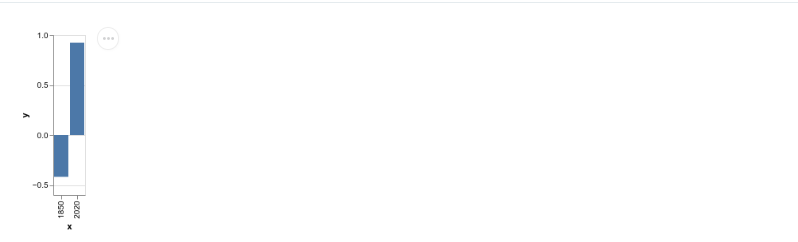
|
||||
|
||||
```js
|
||||
<Vega
|
||||
data={{
|
||||
table: [
|
||||
{
|
||||
x: 1850,
|
||||
y: -0.418
|
||||
},
|
||||
{
|
||||
x: 2020,
|
||||
y: 0.923
|
||||
}
|
||||
]
|
||||
}}
|
||||
spec={{
|
||||
$schema: 'https://vega.github.io/schema/vega-lite/v4.json',
|
||||
data: {
|
||||
name: 'table'
|
||||
},
|
||||
encoding: {
|
||||
x: {
|
||||
field: 'x',
|
||||
type: 'ordinal'
|
||||
},
|
||||
y: {
|
||||
field: 'y',
|
||||
type: 'quantitative'
|
||||
}
|
||||
},
|
||||
mark: 'bar'
|
||||
}}
|
||||
/>
|
||||
```
|
||||
|
||||
> [!info]
|
||||
> More info on the [storybook page](https://storybook.portaljs.org/?path=/docs/components-vega--docs)
|
||||
|
||||
### VegaLite chart
|
||||
|
||||
A wrapper around the [Vega Lite specification](https://vega.github.io/vega-lite/) which allows for a more concise grammar than Vega around the building of charts.
|
||||
|
||||
Example usage:
|
||||
|
||||
```js
|
||||
<VegaLite
|
||||
data={{
|
||||
table: [
|
||||
{
|
||||
x: 1850,
|
||||
y: -0.418
|
||||
},
|
||||
{
|
||||
x: 2020,
|
||||
y: 0.923
|
||||
}
|
||||
]
|
||||
}}
|
||||
spec={{
|
||||
$schema: 'https://vega.github.io/schema/vega-lite/v4.json',
|
||||
data: {
|
||||
name: 'table'
|
||||
},
|
||||
encoding: {
|
||||
x: {
|
||||
field: 'x',
|
||||
type: 'ordinal'
|
||||
},
|
||||
y: {
|
||||
field: 'y',
|
||||
type: 'quantitative'
|
||||
}
|
||||
},
|
||||
mark: 'bar'
|
||||
}}
|
||||
/>
|
||||
```
|
||||
|
||||
>[!info]
|
||||
> More info on the [storybook page](https://storybook.portaljs.org/?path=/docs/components-vegalite--docs)
|
||||
|
||||
### Catalog
|
||||
|
||||
A searchable catalog that will index a list of datasets and allow for contextual searching + filters.
|
||||
|
||||
![[catalog-example.png]]
|
||||
|
||||
Example usage:
|
||||
|
||||
```js
|
||||
<Catalog
|
||||
datasets={[
|
||||
{
|
||||
_id: '07026b22d49916754df1dc8ffb9ccd1c31878aae',
|
||||
metadata: {
|
||||
'details-of-task': 'Detect and categorise abusive language in social media data',
|
||||
language: 'Albanian',
|
||||
'level-of-annotation': [
|
||||
'Posts'
|
||||
],
|
||||
'link-to-data': 'https://doi.org/10.6084/m9.figshare.19333298.v1',
|
||||
'link-to-publication': 'https://arxiv.org/abs/2107.13592',
|
||||
medium: [
|
||||
'Text'
|
||||
],
|
||||
'percentage-abusive': 13.2,
|
||||
platform: [
|
||||
'Instagram',
|
||||
'Youtube'
|
||||
],
|
||||
reference: 'Nurce, E., Keci, J., Derczynski, L., 2021. Detecting Abusive Albanian. arXiv:2107.13592',
|
||||
'size-of-dataset': 11874,
|
||||
'task-description': 'Hierarchical (offensive/not; untargeted/targeted; person/group/other)',
|
||||
title: 'Detecting Abusive Albanian'
|
||||
},
|
||||
url_path: 'dataset-4'
|
||||
},
|
||||
]}
|
||||
/>
|
||||
```
|
||||
|
||||
You can also add facets that are going to act as filters for your metadata.
|
||||
|
||||
![[catalog-facets-example.png]]
|
||||
|
||||
```js
|
||||
<Catalog
|
||||
datasets={[
|
||||
{
|
||||
_id: '07026b22d49916754df1dc8ffb9ccd1c31878aae',
|
||||
metadata: {
|
||||
'details-of-task': 'Detect and categorise abusive language in social media data',
|
||||
language: 'Albanian',
|
||||
'level-of-annotation': [
|
||||
'Posts'
|
||||
],
|
||||
'link-to-data': 'https://doi.org/10.6084/m9.figshare.19333298.v1',
|
||||
'link-to-publication': 'https://arxiv.org/abs/2107.13592',
|
||||
medium: [
|
||||
'Text'
|
||||
],
|
||||
'percentage-abusive': 13.2,
|
||||
platform: [
|
||||
'Instagram',
|
||||
'Youtube'
|
||||
],
|
||||
reference: 'Nurce, E., Keci, J., Derczynski, L., 2021. Detecting Abusive Albanian. arXiv:2107.13592',
|
||||
'size-of-dataset': 11874,
|
||||
'task-description': 'Hierarchical (offensive/not; untargeted/targeted; person/group/other)',
|
||||
title: 'Detecting Abusive Albanian'
|
||||
},
|
||||
url_path: 'dataset-4'
|
||||
},
|
||||
]}
|
||||
facets={['platform', 'language']}
|
||||
/>
|
||||
```
|
||||
|
||||
>[!info]
|
||||
> More info on the [storybook page](https://storybook.portaljs.org/?path=/docs/components-catalog--docs)
|
||||
12
site/content/howto/index.md
Normal file
12
site/content/howto/index.md
Normal file
@@ -0,0 +1,12 @@
|
||||
# Guides and tutorials
|
||||
|
||||
- [[howto/analytics|How to add web analytics?]]
|
||||
- [[howto/seo|How to customize page metadata for SEO?]]
|
||||
- [[howto/sitemap|How to build a sitemap?]]
|
||||
- [[howto/markdown|How to add markdown-based content pages?]]
|
||||
- [[howto/blog|How to add a simple blog?]]
|
||||
- [[howto/drd|How to create data-rich documents with charts and tables?]]
|
||||
- [[howto/comments|How to add user comments?]]
|
||||
|
||||
If you have questions about anything related to PortalJS, you're always welcome to ask our community on [GitHub Discussions](https://github.com/datopian/portaljs/discussions) or on [our chat channel on Discord](https://discord.gg/EeyfGrGu4U).
|
||||
|
||||
169
site/content/howto/markdown.md
Normal file
169
site/content/howto/markdown.md
Normal file
@@ -0,0 +1,169 @@
|
||||
# How to add markdown-based content pages?
|
||||
|
||||
## Add content layer to your app
|
||||
|
||||
Create a folder where you'll keep your markdown files and add some markdown files to it.
|
||||
|
||||
```sh
|
||||
cd my-portaljs-project
|
||||
mkdir content
|
||||
# touch content/index.md ...
|
||||
```
|
||||
|
||||
Install [MarkdownDB](https://github.com/datopian/markdowndb) package:
|
||||
|
||||
```
|
||||
npm i @flowershow/markdowndb
|
||||
```
|
||||
|
||||
And add the following to your `package.json`:
|
||||
|
||||
```json
|
||||
{
|
||||
"scripts": {
|
||||
"mddb": "mddb <path-to-your-content-folder>",
|
||||
"prebuild": "npm run mddb"
|
||||
},
|
||||
}
|
||||
```
|
||||
|
||||
You can give it a go by running `npm run mddb`. You should see a `markdown.db` file created in the root of your project. You can inspect it with any SQLite viewer or in the command line. In the `files` table you should see all your markdown files from your content folder.
|
||||
|
||||
Now, once the data is in the database, you can add the following script to your project (e.g. in `/lib` folder). It will allow you to establish a single connection to the database and use it across your app.
|
||||
|
||||
```ts
|
||||
// lib/mddb.ts
|
||||
import { MarkdownDB } from "@flowershow/markdowndb";
|
||||
|
||||
// path to the markdown.db file created by the mddb script
|
||||
const dbPath = "markdown.db";
|
||||
|
||||
const client = new MarkdownDB({
|
||||
client: "sqlite3",
|
||||
connection: {
|
||||
filename: dbPath,
|
||||
},
|
||||
});
|
||||
|
||||
const clientPromise = client.init();
|
||||
|
||||
export default clientPromise;
|
||||
```
|
||||
|
||||
Now you can import it across your project to query the database, e.g.:
|
||||
|
||||
```ts
|
||||
import clientPromise from "@/lib/mddb";
|
||||
|
||||
const mddb = await clientPromise;
|
||||
const blogs = await mddb.getFiles({
|
||||
folder: "blog",
|
||||
extensions: ["md", "mdx"],
|
||||
});
|
||||
```
|
||||
|
||||
## Write a markdown parser
|
||||
|
||||
Install [next-mdx-remote](https://github.com/hashicorp/next-mdx-remote) package, which we'll first use to parse markdown files and then to render them in Next.js app.
|
||||
|
||||
```sh
|
||||
npm i next-mdx-remote
|
||||
```
|
||||
|
||||
Create the following basic parser for your markdown files, e.g. in `/lib/markdown.ts`:
|
||||
|
||||
```ts
|
||||
import matter from "gray-matter";
|
||||
import remarkGfm from "remark-gfm";
|
||||
import { serialize } from "next-mdx-remote/serialize";
|
||||
|
||||
|
||||
const parse = async function (source) {
|
||||
const { content } = matter(source);
|
||||
|
||||
const mdxSource = await serialize(
|
||||
{ value: content },
|
||||
{
|
||||
mdxOptions: {
|
||||
remarkPlugins: [
|
||||
remarkGfm,
|
||||
// ... your remark plugins
|
||||
],
|
||||
rehypePlugins: [
|
||||
// ... your plugins
|
||||
],
|
||||
format,
|
||||
}
|
||||
}
|
||||
);
|
||||
|
||||
return {
|
||||
mdxSource
|
||||
};
|
||||
};
|
||||
|
||||
export default parse;
|
||||
|
||||
```
|
||||
|
||||
## Import, parse and render your markdown files
|
||||
|
||||
Create a page in the `/pages` folder that will render your markdown content, e.g. `pages/blog/[[...slug]].tsx`:
|
||||
|
||||
```tsx
|
||||
import fs from "fs";
|
||||
|
||||
import { MdxRemote } from "next-mdx-remote";
|
||||
import clientPromise from "@/lib/mddb.mjs";
|
||||
import parse from "@/lib/markdown";
|
||||
|
||||
|
||||
export default function Page({ source }) {
|
||||
source = JSON.parse(source);
|
||||
|
||||
return (
|
||||
<>
|
||||
<MdxRemote source={source} />
|
||||
</>
|
||||
);
|
||||
}
|
||||
|
||||
// Import metadata of a file matching the static path and return its parsed source and frontmatter object
|
||||
export const getStaticProps = async ({ params }) => {
|
||||
const urlPath = params?.slug ? (params.slug as string[]).join("/") : "/";
|
||||
|
||||
const mddb = await clientPromise;
|
||||
const dbFile = await mddb.getFileByUrl(urlPath);
|
||||
const filePath = dbFile!.file_path;
|
||||
// const frontMatter = dbFile!.metadata ?? {};
|
||||
|
||||
const source = fs.readFileSync(filePath, { encoding: "utf-8" });
|
||||
const { mdxSource } = await parse(source, "mdx", {});
|
||||
|
||||
return {
|
||||
props: {
|
||||
source: JSON.stringify(mdxSource),
|
||||
// frontMatter
|
||||
},
|
||||
};
|
||||
};
|
||||
|
||||
|
||||
// Import metadata of your markdown files from MarkdownDB and return a list of static paths
|
||||
export const getStaticPaths = async () => {
|
||||
const mddb = await clientPromise;
|
||||
const allDocuments = await mddb.getFiles({ extensions: ["md", "mdx"] });
|
||||
const paths = allDocuments
|
||||
.map((page) => {
|
||||
const url = decodeURI(page.url_path);
|
||||
const parts = url.split("/");
|
||||
return { params: { slug: parts } };
|
||||
});
|
||||
|
||||
return {
|
||||
paths,
|
||||
fallback: false,
|
||||
};
|
||||
};
|
||||
```
|
||||
|
||||
79
site/content/howto/seo.md
Normal file
79
site/content/howto/seo.md
Normal file
@@ -0,0 +1,79 @@
|
||||
# How to customize page metadata for SEO?
|
||||
|
||||
>[!info]
|
||||
>See [`next-seo` documentation](https://github.com/garmeeh/next-seo) to learn more.
|
||||
|
||||
## Setup
|
||||
|
||||
Install `next-seo` package:
|
||||
|
||||
```sh
|
||||
npm i next-seo
|
||||
```
|
||||
|
||||
## Default SEO configuration
|
||||
|
||||
Create `next-seo.config` file (e.g. in the root of your project) and add default meta tags values you want to be set up for your pages. For example:
|
||||
|
||||
```ts
|
||||
export default {
|
||||
openGraph: {
|
||||
type: 'website',
|
||||
locale: 'en_IE',
|
||||
url: 'https://www.my.portaljs.app/',
|
||||
siteName: 'MyPortalJSApp',
|
||||
},
|
||||
twitter: {
|
||||
handle: '@handle',
|
||||
site: '@site',
|
||||
cardType: 'summary_large_image',
|
||||
},
|
||||
};
|
||||
```
|
||||
|
||||
Then, in your custom Next.js App, add the following:
|
||||
|
||||
```tsx
|
||||
// /pages/_app.tsx
|
||||
import { DefaultSeo } from "next-seo";
|
||||
|
||||
// import your default seo configuration
|
||||
import SEO from '../next-seo.config';
|
||||
|
||||
|
||||
export default function MyApp({ Component, pageProps }) {
|
||||
// ... your code
|
||||
return (
|
||||
<>
|
||||
<DefaultSeo {...SEO} />
|
||||
<Component {...pageProps} />
|
||||
</>
|
||||
);
|
||||
};
|
||||
|
||||
```
|
||||
|
||||
>[!info]
|
||||
>To learn more on default SEO configuration with `next-seo`, see [this docs section](https://github.com/garmeeh/next-seo#default-seo-configuration).
|
||||
|
||||
## Per-page SEO configuration
|
||||
|
||||
To add page specific meta tag values:
|
||||
|
||||
```tsx
|
||||
import { NextSeo } from 'next-seo';
|
||||
|
||||
export default function Page() (
|
||||
// ...
|
||||
<>
|
||||
<NextSeo
|
||||
title="My Portal JS page"
|
||||
description="A short description."
|
||||
/>
|
||||
<p>My Portal JS page</p>
|
||||
</>
|
||||
);
|
||||
```
|
||||
|
||||
>[!info]
|
||||
> To learn more on per-page SEO configuration with `next-seo`, see [this docs section](https://github.com/garmeeh/next-seo#add-seo-to-page)
|
||||
94
site/content/howto/sitemap.md
Normal file
94
site/content/howto/sitemap.md
Normal file
@@ -0,0 +1,94 @@
|
||||
# How to build a sitemap?
|
||||
|
||||
## Setup
|
||||
|
||||
Install the following packages:
|
||||
|
||||
```sh
|
||||
npm i globby
|
||||
npm i -D prettier
|
||||
```
|
||||
|
||||
## Add sitemap script
|
||||
|
||||
>[!info]
|
||||
>The following example assumes files list for dynamic Next.js routes is imported from the database created with [MarkdownDB](https://github.com/datopian/markdowndb) package. You need to adjust it to your specific use case.
|
||||
|
||||
Add the following script to e.g. `/scripts/sitemap.mjs` and adjust it to work with your app:
|
||||
|
||||
```js
|
||||
// /scripts/sitemap.mjs
|
||||
import { writeFileSync } from "fs";
|
||||
import { globby } from "globby";
|
||||
import prettier from "prettier";
|
||||
|
||||
// Change this to import data from your content layer (if needed)
|
||||
import clientPromise from "../lib/mddb.mjs";
|
||||
|
||||
export default async function sitemap() {
|
||||
const prettierConfig = await prettier.resolveConfig("path-to-your-prettier-config");
|
||||
|
||||
// Change this to create a list of page paths
|
||||
const mddb = await clientPromise;
|
||||
const allFiles = await mddb.getFiles({ extensions: ["mdx", "md"] });
|
||||
const contentPages = allFiles
|
||||
.filter((x) => !x.metadata?.isDraft)
|
||||
.map((x) => `/${x.url_path}`);
|
||||
const pages = await globby([
|
||||
"pages/*.(js|tsx)",
|
||||
"!pages/_*.(js|tsx)",
|
||||
"!pages/api",
|
||||
"!pages/404.(js|tsx)",
|
||||
"!pages/**/\\[\\[*\\]\\].(js|tsx)", // pages/[[...slug]].tsx
|
||||
]);
|
||||
const allPages = pages.concat(contentPages);
|
||||
// end
|
||||
|
||||
// Replace this with your site domain
|
||||
const siteDomain = "your-site-domain";
|
||||
|
||||
const sitemap = `
|
||||
<?xml version="1.0" encoding="UTF-8"?>
|
||||
<urlset xmlns="http://www.sitemaps.org/schemas/sitemap/0.9">
|
||||
${allPages
|
||||
.map((page) => {
|
||||
const path = page
|
||||
.replace("pages/", "/")
|
||||
.replace("public/", "/")
|
||||
.replace(/\.js|.tsx|.mdx|.md[^\/.]+$/, "")
|
||||
.replace("/feed.xml", "");
|
||||
const route = path === "/index" ? "" : path;
|
||||
return `
|
||||
<url>
|
||||
<loc>${siteDomain}${route}</loc>
|
||||
</url>
|
||||
`;
|
||||
})
|
||||
.join("")}
|
||||
</urlset>
|
||||
`;
|
||||
|
||||
const formatted = prettier.format(sitemap, {
|
||||
...prettierConfig,
|
||||
parser: "html",
|
||||
});
|
||||
|
||||
if (siteUrl) {
|
||||
writeFileSync("public/sitemap.xml", formatted);
|
||||
console.log("Sitemap generated...");
|
||||
}
|
||||
}
|
||||
|
||||
await sitemap();
|
||||
process.exit();
|
||||
```
|
||||
|
||||
## Execute script before each build
|
||||
|
||||
Add this to the scripts section in your `package.json` to regenerate the sitemap before each build.
|
||||
|
||||
```json
|
||||
|
||||
"prebuild": "node ./scripts/sitemap.mjs",
|
||||
|
||||
```
|
||||
Reference in New Issue
Block a user