
3.9 KiB
Using scripts
Deploy single dataset with no portal commit
This script creates and commit only the build files from nextjs to the gh-pages branch.
Step 1: Export an env variable with the name of your dataset github repo. For example if deploying https://github.com/datasets/finance-vix, then export the name as:
export PORTAL_REPO_NAME=finance-vix
Step 2: Create a file called portal.sh and paste the following content:
#!/bin/bash
git checkout -b gh-pages
git rm -r --cached .
rm -rf portal
mkdir -p portal
npx create-next-app portal -e https://github.com/datopian/portal.js/tree/main/examples/dataset-frictionless
mkdir portal/public/dataset

cp -a ./data portal/public/dataset
cp -a ./datapackage.json portal/public/dataset
cp -a ./README.md portal/public/dataset

PORTAL_DATASET_PATH=$PWD"/portal/public/dataset"
export PORTAL_DATASET_PATH

cd portal
assetPrefix='"/'$PORTAL_REPO_NAME'/"'
basePath='"/'$PORTAL_REPO_NAME'"'
echo 'module.exports = {assetPrefix:' ${assetPrefix}', basePath: '${basePath}' }' > next.config.js ## This ensures css and public folder works
yarn export

cd ..
cp -R -a portal/out/* ./
touch .nojekyll
git add $PWD'/_next' $PWD'/index.html' $PWD'/dataset' $PWD'/404.html' $PWD'/.nojekyll' $PWD'/favicon.ico'
git commit -m "Build new dataset page"
git push origin gh-pages
Step 3: Run the bash script with:
source portal.sh
Note: Use
sourceinstead ofbashso that the script can work well with environment variables.
Step 4:
Go to your repository's github pages in setting and set the Branch to gh-pages and folder to root:
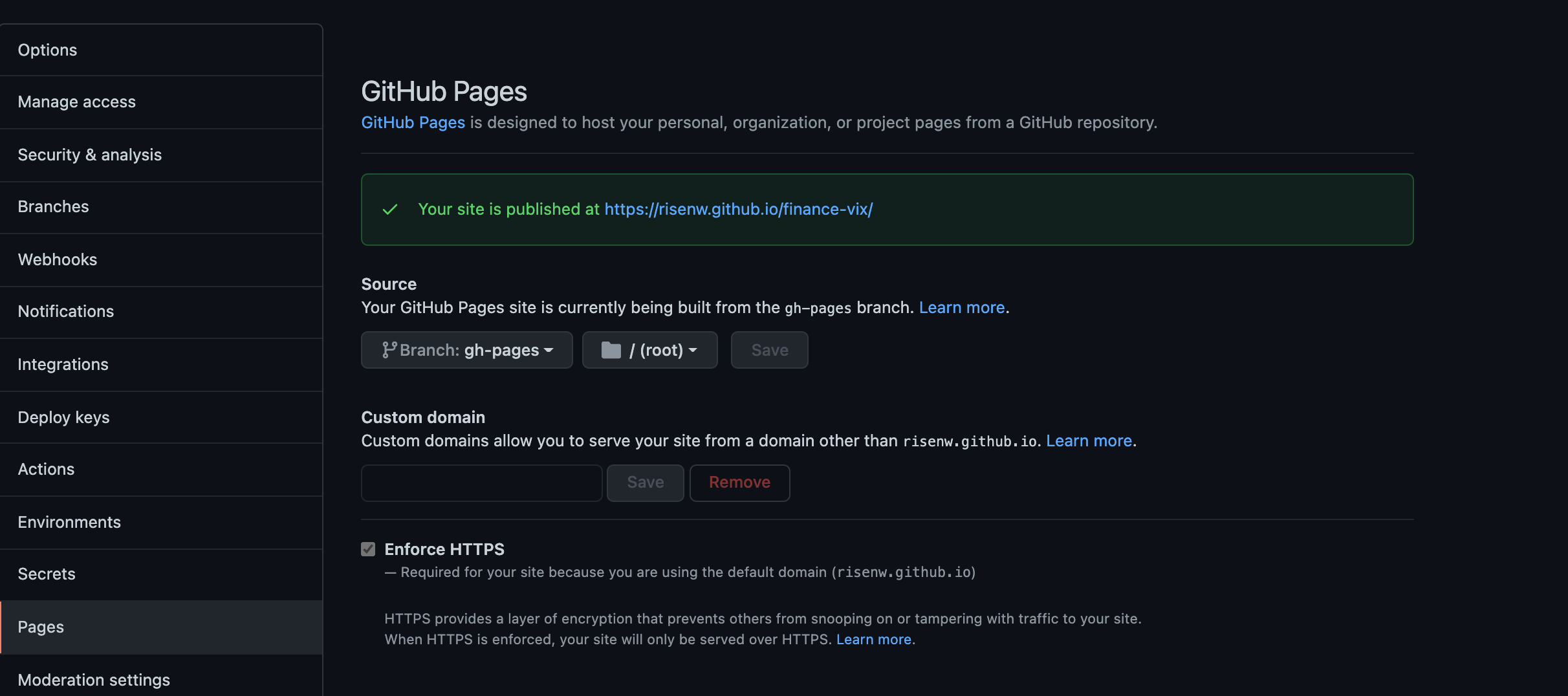
Step 5:
Open your deployed site at https://<your github username>/github.io/<dataset repo name>
Deploy single dataset with portal commit
This script creates and commit the portal code as well as add an automated script to deploy page. Follow the steps below to use this script.
Step 1: Create a Github Personal Access Token (PAT).
Step 2: Create a github secret with the name PORTAL_NEXT_TOKEN. The value should be the PAT created in step 1.
Note: Without the PAT and the secret configured, the automatic build will fail.
Step 3: In your computer's terminal/command prompt, export an environment variable with the name of your dataset's github repo.
For example if you want to deploy the dataset at https://github.com/datasets/finance-vix, then export the name using the command:
export PORTAL_REPO_NAME=finance-vix
Step 4: Create a file called portal.sh and paste the following content:
#!/bin/bash
rm -rf portal
mkdir -p portal
npx create-next-app portal -e https://github.com/datopian/portal.js/tree/main/examples/dataset-frictionless
mkdir portal/public/dataset

cp -a ./data portal/public/dataset
cp -a ./datapackage.json portal/public/dataset
cp -a ./README.md portal/public/dataset

PORTAL_DATASET_PATH=$PWD"/portal/public/dataset"
export PORTAL_DATASET_PATH

mkdir -p .github && mkdir -p .github/workflows && touch .github/workflows/main.yml
curl https://raw.githubusercontent.com/datopian/portal.js/main/scripts/gh-page-builder-action.yml > .github/workflows/main.yml

cd portal
assetPrefix='"/'$PORTAL_REPO_NAME'/"'
basePath='"/'$PORTAL_REPO_NAME'"'
echo 'module.exports = {assetPrefix:' ${assetPrefix}', basePath: '${basePath}' }' > next.config.js ## This ensures css and public folder works

cd ..
git add .
git commit -m "Add dataset build feature"
git push
Step 5: Run the bash script with:
source portal.sh
Note: Use
sourceinstead ofbashso that the script can work well with environment variables.
Step 6:
Go to your repository's github pages in setting and set the Branch to gh-pages and folder to root:
Step 7:
Open your deployed site at https://<your github username>/github.io/<dataset repo name>
Single dataset with portal code commit
TODO